Use up and down arrow keys to resize the meta box pane.Move upMove downToggle panel: H View Score
Good tech does not always have to be expensive.
Whether you are a student attending online classes, a blogger writing from home, a creator making videos, or a freelancer managing client work, the right gadgets can make your daily routine easier.
But the mistake many people make is buying gadgets only because they look trendy. A gadget is useful only when it solves a real problem.
At H View, our practical view is simple:
Buy gadgets that improve your comfort, productivity, learning, or content quality. Avoid buying only for the hype.
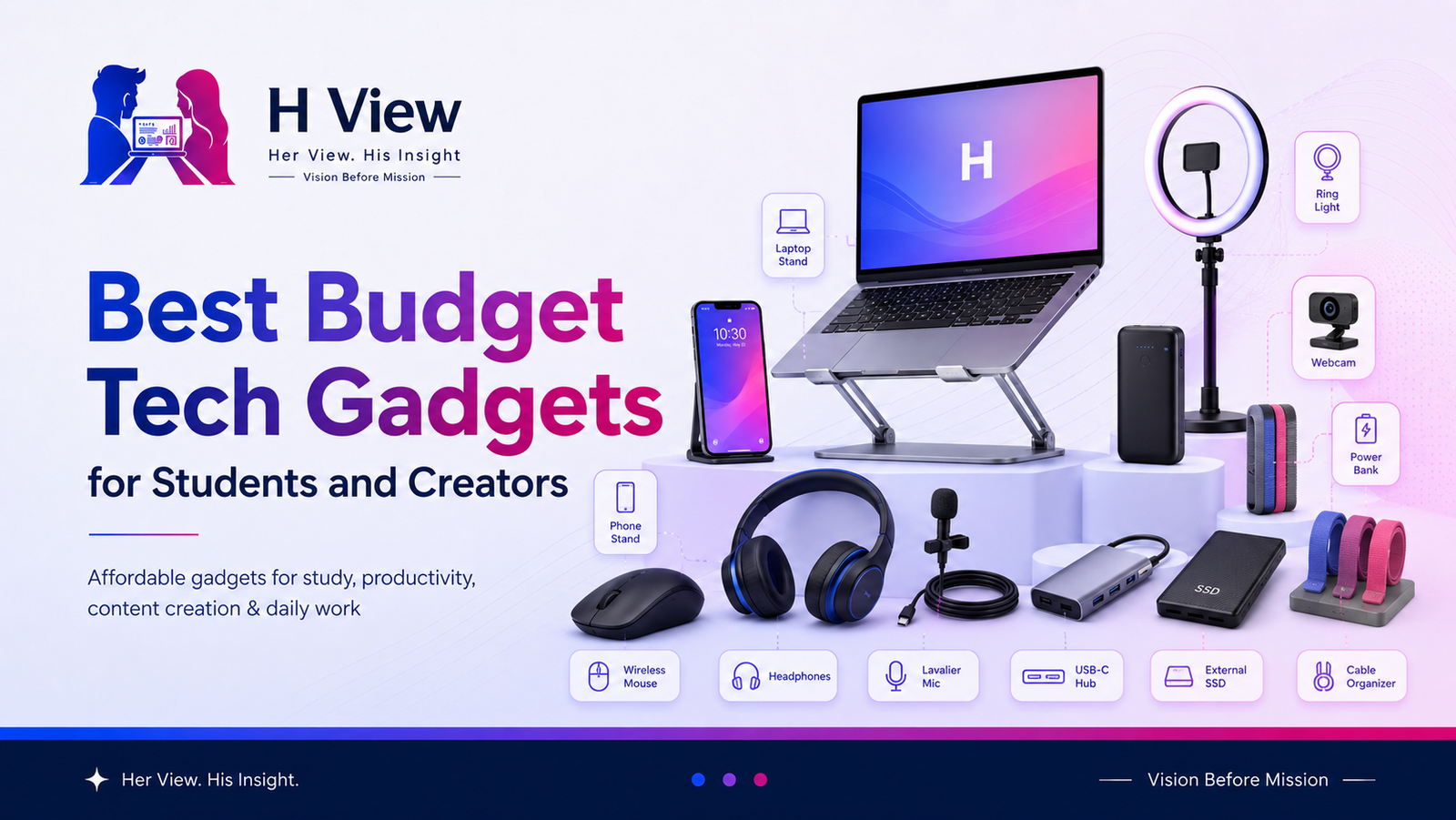
Here are some of the best budget tech gadgets students and creators can consider.
Why Budget Gadgets Matter
Students and creators usually work with limited budgets. So every purchase should be practical.
A good budget gadget can help you:
- Study more comfortably
- Attend online classes better
- Record clearer audio
- Improve video quality
- Work longer without discomfort
- Keep devices charged
- Organize your workspace
- Create better content
- Save time in daily work
Before buying, always check reviews, warranty, seller trust, and return policy. Amazon India advises keeping products in original condition with manuals, warranty cards, accessories, and packaging for returns, while Flipkart notes that some electronics may come under brand/service-centre replacement or repair policies, so checking return terms before purchase is important.
Quick List: Best Budget Tech Gadgets
| Gadget | Best For | H View Take |
|---|---|---|
| Wireless Mouse | Students and laptop users | Simple productivity upgrade |
| Laptop Stand | Long study/work hours | Better posture and comfort |
| Bluetooth Earbuds | Classes, calls, videos | Useful for daily audio |
| Power Bank | Travel and backup charging | Must-have for mobile users |
| USB-C Hub | Laptop connectivity | Useful for modern laptops |
| External SSD | File backup and creators | Fast storage upgrade |
| Ring Light | Video calls and reels | Better lighting on budget |
| Lavalier Microphone | Creators and presenters | Better audio for videos |
| Webcam | Online classes and meetings | Clearer video quality |
| Cable Organizer | Desk setup | Small but useful upgrade |
1. Wireless Mouse
A wireless mouse is one of the simplest and most useful gadgets for students and creators.
Laptop trackpads are fine for basic work, but long hours of editing documents, browsing, designing, or working on projects become easier with a mouse.
Best For
- Students
- Bloggers
- Designers
- Office users
- Online learners
What to Check
- Comfortable grip
- Battery life
- Wireless range
- Click quality
- USB receiver or Bluetooth support
H View Take
A wireless mouse is a small upgrade, but it improves daily comfort. It is worth buying if you use a laptop for long hours.
2. Laptop Stand
A laptop stand helps raise your screen to a better height.
Many students and creators work with the laptop placed flat on a table. This can cause neck strain and poor posture over time.
Best For
- Online classes
- Study setups
- Work-from-home desks
- Writers and creators
What to Check
- Strong build
- Adjustable height
- Foldable design
- Ventilation support
- Stable base
H View Take
If you use a laptop daily, a stand is more useful than many flashy gadgets. Pair it with a wireless mouse and keyboard for better comfort.
3. Bluetooth Earbuds or Headphones
Good audio is important for online classes, meetings, podcasts, music, and video editing.
Budget earbuds are enough for many students, but creators should check microphone quality carefully.
Best For
- Students
- Content creators
- Online meetings
- Travel
- Daily calls
What to Check
- Mic clarity
- Battery backup
- Comfort
- Bluetooth stability
- Low latency if used for editing or gaming
H View Take
Do not buy only because of bass or looks. For study and work, comfort and microphone quality matter more.
4. Power Bank
A power bank is useful for students, travellers, creators, and anyone who uses a phone heavily.
It is especially helpful during college, travel, shoots, events, or long commutes.
Best For
- Students
- Travellers
- Mobile creators
- Event workers
- Bloggers on the move
What to Check
- Capacity
- Fast charging support
- Number of ports
- Weight
- Safety certification
H View Take
Choose a trusted power bank instead of a very cheap unknown one. Charging safety matters. BIS consumer guidance also advises keeping purchase details and packaging for product complaints, which is useful for electronic accessories too.
5. USB-C Hub
Many modern laptops have limited ports.
A USB-C hub can help connect pen drives, memory cards, HDMI cables, keyboards, mouse receivers, external screens, and other devices.
Best For
- Students with slim laptops
- Creators
- Designers
- Presenters
- Office users
What to Check
- USB ports
- HDMI support
- SD card reader
- Charging pass-through
- Build quality
- Compatibility with your laptop
H View Take
A USB-C hub is very useful if your laptop has fewer ports. But check compatibility before buying.
6. External SSD
For creators, storage is always a problem.
Photos, videos, designs, project files, and backups can quickly fill laptop storage. An external SSD is faster and more reliable than basic storage drives for active work.
Best For
- Video creators
- Designers
- Photographers
- Bloggers
- Students with large project files
What to Check
- Storage capacity
- Read/write speed
- Brand warranty
- Port compatibility
- Shock resistance
- Real user reviews
H View Take
For creators, an external SSD is not a luxury. It is a practical backup and workflow tool.
7. Ring Light
Lighting can improve video quality more than an expensive camera in many cases.
A basic ring light can help with online classes, reels, YouTube videos, product videos, and video calls.
Best For
- YouTubers
- Instagram creators
- Online teachers
- Students attending presentations
- Small business owners
What to Check
- Brightness control
- Color temperature
- Phone holder
- Height adjustment
- Power source
- Stability
H View Take
If you create videos or attend important calls, lighting is a smart budget upgrade.
8. Lavalier Microphone
People may tolerate average video, but poor audio is difficult to watch.
A lavalier microphone can improve voice clarity for reels, YouTube videos, online classes, interviews, and product explainers.
Best For
- Creators
- Teachers
- Coaches
- Students giving presentations
- Small business videos
What to Check
- Phone or camera compatibility
- Wired or wireless type
- Noise reduction
- Battery life for wireless models
- Voice clarity
- Reviews with real audio samples
H View Take
If you create content, audio should be one of your first upgrades. A budget mic can make videos feel more professional.
9. Webcam
Laptop cameras are often average.
A budget external webcam can improve video calls, online classes, webinars, and interviews.
Best For
- Online students
- Remote workers
- Teachers
- Coaches
- Interview calls
What to Check
- Resolution
- Low-light quality
- Built-in microphone
- Mounting clip
- Privacy cover
- Compatibility
H View Take
Buy a webcam only if your current laptop camera is poor. Otherwise, improve lighting first.
10. Cable Organizer
This may look small, but it makes your workspace cleaner.
Cable clips, sleeves, desk trays, and organizers help reduce clutter.
Best For
- Study tables
- Work desks
- Creator setups
- Charging stations
What to Check
- Cable size support
- Adhesive quality
- Desk compatibility
- Reusability
- Build quality
H View Take
A clean desk helps you work better. Small organization tools can improve daily productivity.
H View Recommendation
Do not buy all gadgets at once.
Start with what solves your biggest problem.
If you study long hours, start with a laptop stand and mouse.
If you create videos, start with a mic and light.
If you travel often, start with a power bank.
If you manage files, start with external storage.
A budget gadget is valuable only when you actually use it.
FAQs
A wireless mouse, laptop stand, power bank, and good earbuds are some of the most useful budget gadgets for students.
Creators should first improve audio and lighting. A lavalier microphone and ring light can make content look and sound better without spending too much.
Sales can be useful, but check product reviews, seller trust, return policy, warranty, and actual price history before buying.
Very cheap unknown electronics can be risky, especially chargers, power banks, and cables. Choose trusted brands, check warranty, and keep purchase details.
Yes, an external SSD is useful for creators, students with large files, and anyone who needs fast backup storage.
Final View
Budget tech gadgets can make study, work, and content creation easier, but only when chosen wisely.
Do not buy gadgets just because they are trending. Buy them because they improve your comfort, productivity, audio, video, storage, or workflow.
At H View, our final view is simple:
The best gadget is not the most expensive one. It is the one you use every day and feel thankful for.